My Experience of Standout Squarespace by SquareStylist

If you’ve been designing websites in Squarespace for a while, there’s a point where the platform itself stops being the challenge.
You know your way around the editor.
You understand structure, layouts and blocks.
You can build a perfectly solid website.
And yet, everything you design starts to feel a bit…samey.
Same spacing. Same layouts. Same feeling of “this works, but it could do more”.
That’s the stage of business and design I was at when I invested in Standout Squarespace*.
This isn’t a beginner review, and it’s not written for someone building their first website. It’s for designers already working in Squarespace who want more control, more confidence, and the ability to create work that genuinely stands out.
Why I invested in Standout Squarespace
I didn’t buy this course on a whim.
I was already designing websites, but I wanted to deepen my skill set, particularly around CSS within Squarespace. I was tired of being limited by default options and relying on trial and error when I wanted to push designs further (ChatGPT is great but doesn’t know the specifics of CSS in the backend of Squarespace).
I wanted:
a strong understanding of the CSS needed to create standout Squarespace websites
the confidence to customise layouts intentionally
better control over spacing, typography and visual detail
the ability to push designs without breaking things
fewer compromises because “Squarespace won’t let me”
Rache at Squarestylist is known for her depth of coding knowledge, and that expertise was the main reason I chose this course. I wanted to understand what I was doing, not just copy and paste code and hope for the best.
Before spending any money, I watched this free workshop, and this free webinar, as I wanted to get a feel for how Rache presents and whether I was going to vibe with her as my teacher (spoiler; the vibes were there and I bought the course!).
What Standout Squarespace actually focuses on
At its core, the full Standout Squarespace course is about learning how to use CSS to move beyond Squarespace’s default limitations.
This is not a course about surface-level styling or rearranging blocks and it’s definitely not a design course (although that does come in to it lightly). It’s about understanding:
how Squarespace behaves under the hood
where and how to apply CSS safely
how to create more refined, intentional layouts
how to make confident design decisions with accessibility in mind
Rache explains what the code does, why it works, and how to adapt it for different designs and use cases. That context is what makes the course so valuable. You’re not blindly adding code. You’re building a working understanding of how to customise Squarespace properly.
How the course is structured
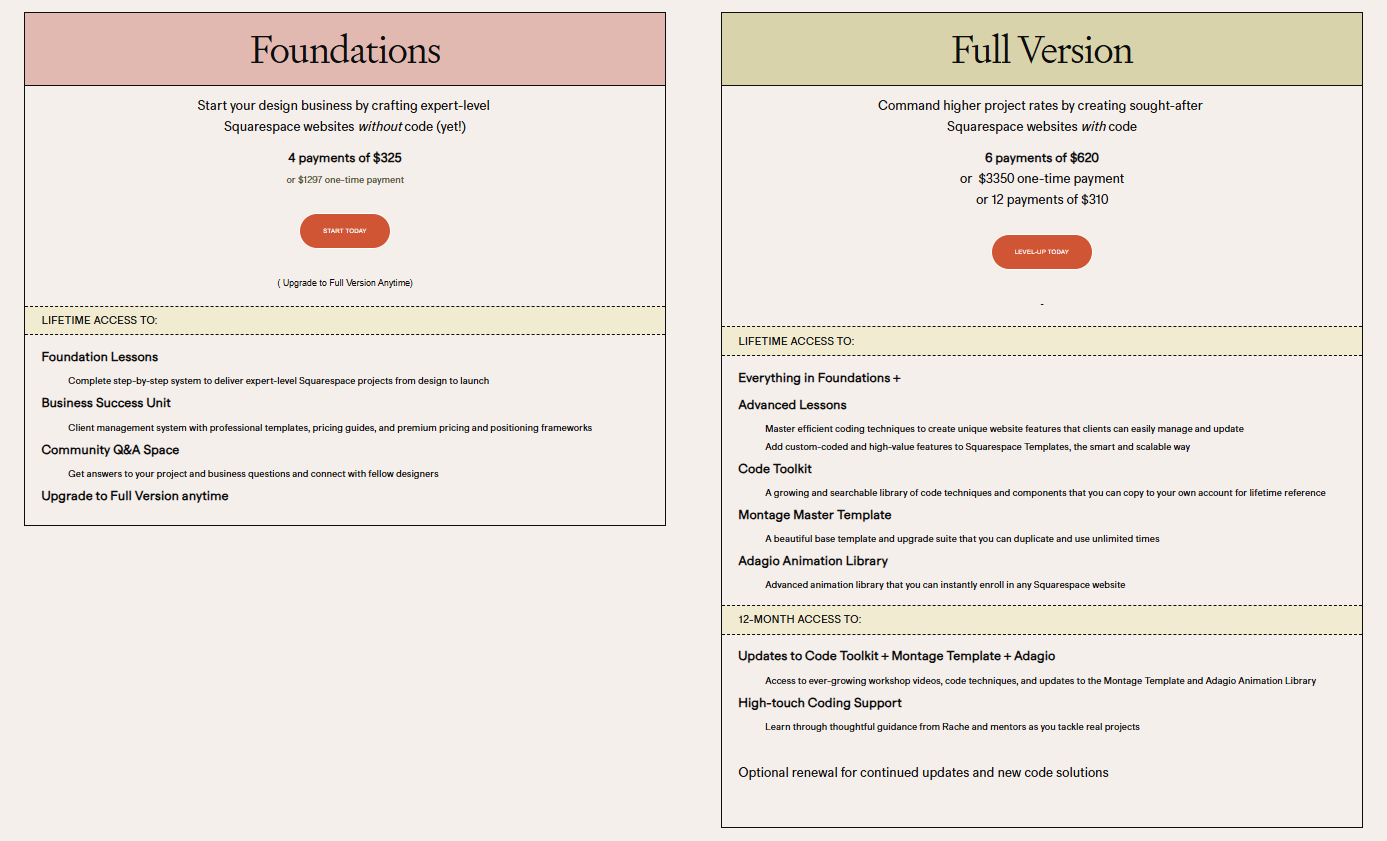
The two Standout Squarespace course options

An example of the varied workshops that Rache shares with the community
There are two course options, the Foundations course (one website project walkthrough and no coding) and the Advanced/Full Version (everything in the Foundations plus coding knowledge and access to the Montage master template for free).
The course is very much built around learning by doing.
You work through three web design projects (in the full course), following the lessons as you go. This makes the CSS feel practical rather than theoretical and helps the learning stick in a way that watching videos alone never quite does.
Alongside the lessons, you get access to the Squarestylist community for a year. This is a high-touch part of the course and one I value highly.
You can:
ask questions as you work through the course projects
get help troubleshooting real design and client issues
share progress and get feedback
Rache is also constantly growing a huge Notion library of tools and code snippets (with videos included) of innovative ways to elevate your web design projects - this alone is so valuable and Rache even allows you to copy over the library into your own Notion once your year’s membership ends.
Rache is very active within the community space, she directly responds to messages daily, and will often reply with videos of her working through the issue you are having - she really goes the extra mile!
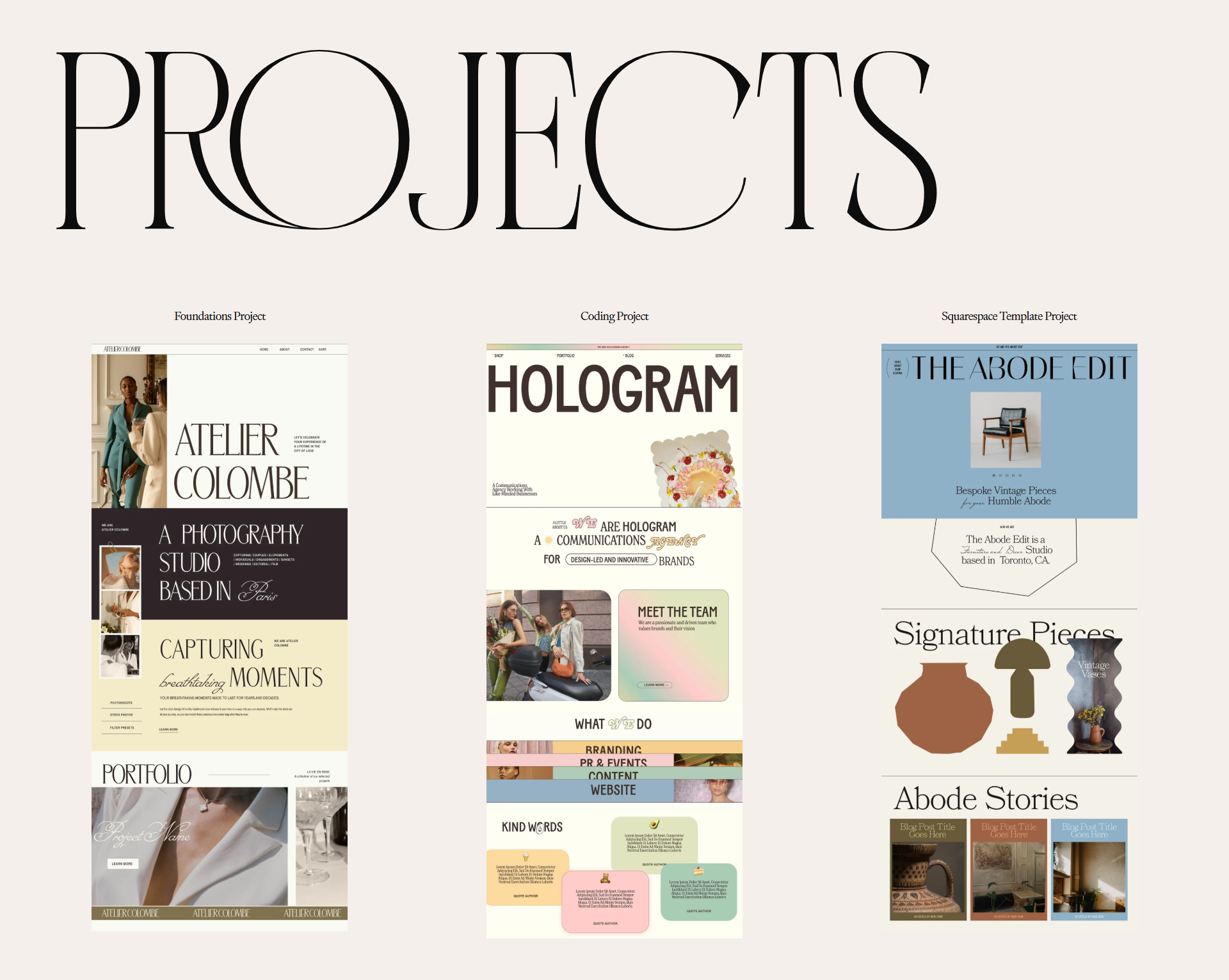
The three course projects, should you opt for the full course (not just the foundations course)
Accessibility is built into the process
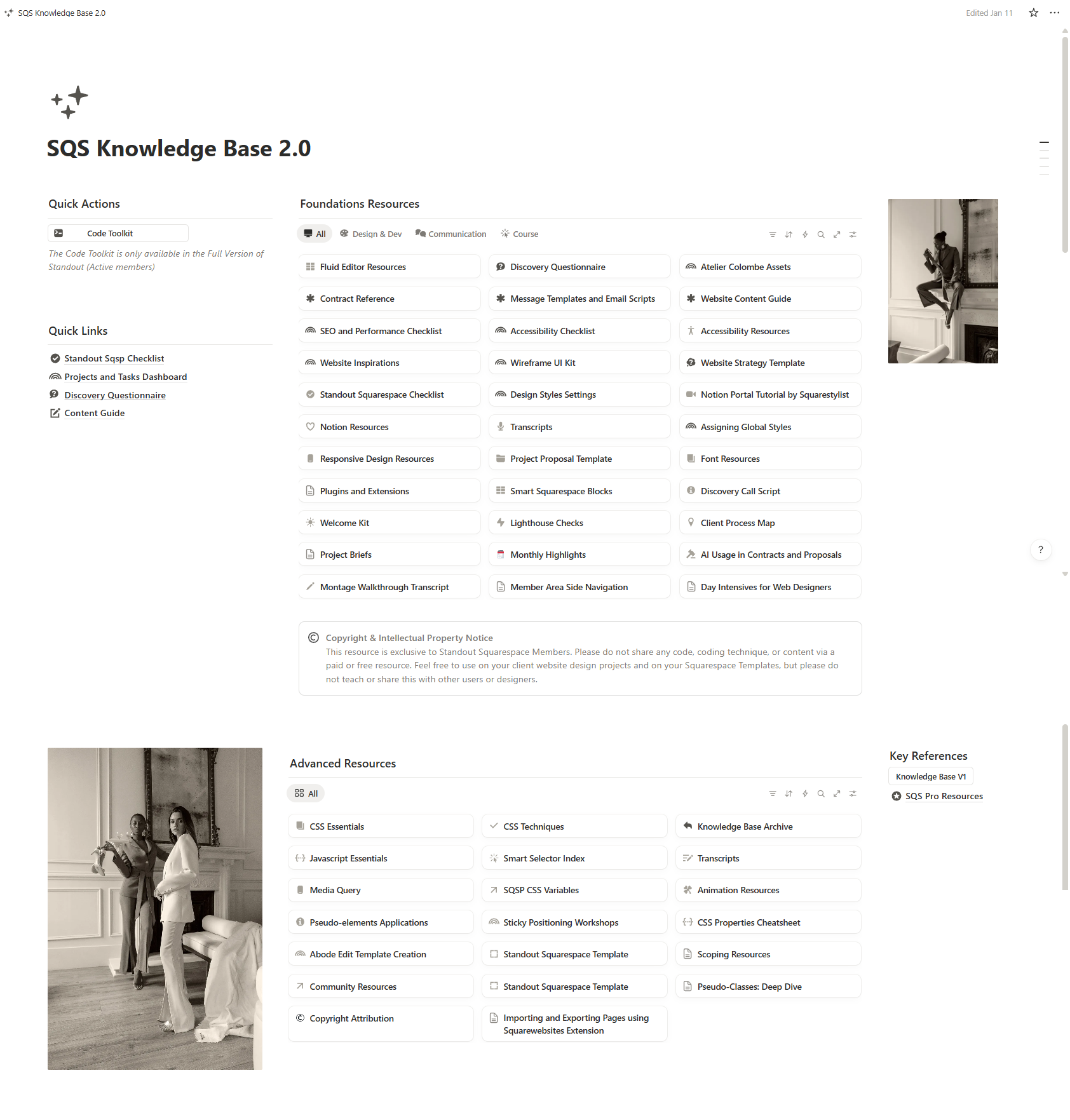
The incredible Notion database full of Rache’s tools and expertise.
One of the strongest aspects of the course is its emphasis on accessibility.
Accessible design isn’t treated as an optional add-on. It’s woven into how layout, colour, typography and interaction are taught.
The course helps you understand:
best practices around accessibility
how design decisions impact real users
how to check your Squarespace websites for accessibility issues
what improvements you can realistically make within the platform
It’s practical, clear and thoughtful, and it encourages better design standards across the board.
Beyond design: running a web design business
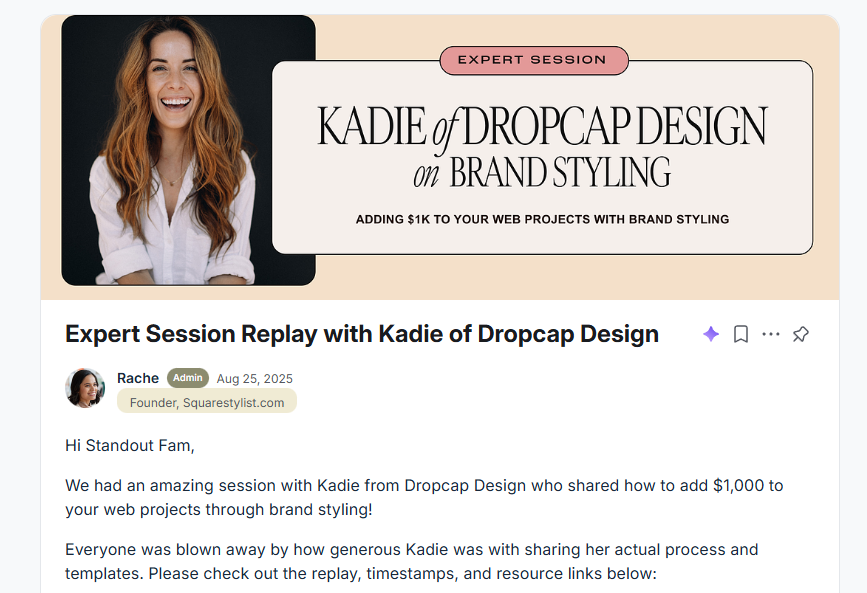
An example of one of the many masterclasses with industry experts that Rache facilitates.
Standout Squarespace isn’t limited to design and code.
There’s a dedicated section focused on running a web design business, drawing on Rache’s experience in the industry. This covers things like:
client processes and best practices
managing projects and expectations
boundaries and workflows
lessons learned through experience
On top of that, there are masterclasses with other industry experts, including areas such as brand design and SEO. These sessions add valuable context and support more well-rounded growth as a designer.
It turns the course into more than a technical education. It becomes support for your work as a whole.
Who this course is best suited for
Standout Squarespace is a strong fit if you:
design websites in Squarespace for clients
want your work to feel less templated
are ready to work with CSS confidently
care about detail, polish and consistency
want to push designs further while staying within Squarespace
It’s particularly useful if you build websites regularly and want to customise properly rather than fighting against the limitations of the platform.
Who it may not be right for
This course probably isn’t the right fit if:
you don’t want to touch code at all
you’re looking for instant results without application
you prefer to stay strictly within the editor
The value comes from using what you learn and applying it across real projects.
Where this fits in a designer’s toolkit
I see Standout Squarespace as part of an ongoing investment in your skills as a designer.
It sits alongside:
strong design fundamentals
strategic thinking
intentional template use
knowing when a project calls for custom solutions
It’s not a shortcut, and it’s not a replacement for experience. It’s a way to raise the baseline of your work and feel more confident pushing Squarespace further.
Would I recommend it?
Yes, for the right designer.
If you’re already working in Squarespace and want to:
understand CSS rather than avoid it
make more intentional, distinctive design choices
feel confident customising beyond defaults
feel that you would get a lot from a community of designers and support from Rache herself
then Standout Squarespace is a solid investment.
*A quick affiliate note
I’m an affiliate for Standout Squarespace, which means I may earn a small commission if you choose to purchase through my link. I only recommend tools and education I genuinely use and believe in.
Final thoughts
Squarespace isn’t limiting when you understand how to work with it properly.
Learning the CSS behind it gives you more control, better decision-making, and the ability to create websites that feel intentional rather than constrained.
And that confidence shows in the work you produce.
---------
Hey there! I'm Amy - I design bold, strategic Squarespace websites for brilliant women who are ready to stop hiding behind a DIY site and start showing up online with confidence, clarity and a whole lot of personality.
This is where sexy meets strategy. It is web design with heart, purpose and a sprinkle of oomph… because your business deserves to shine. Come and say hello :)
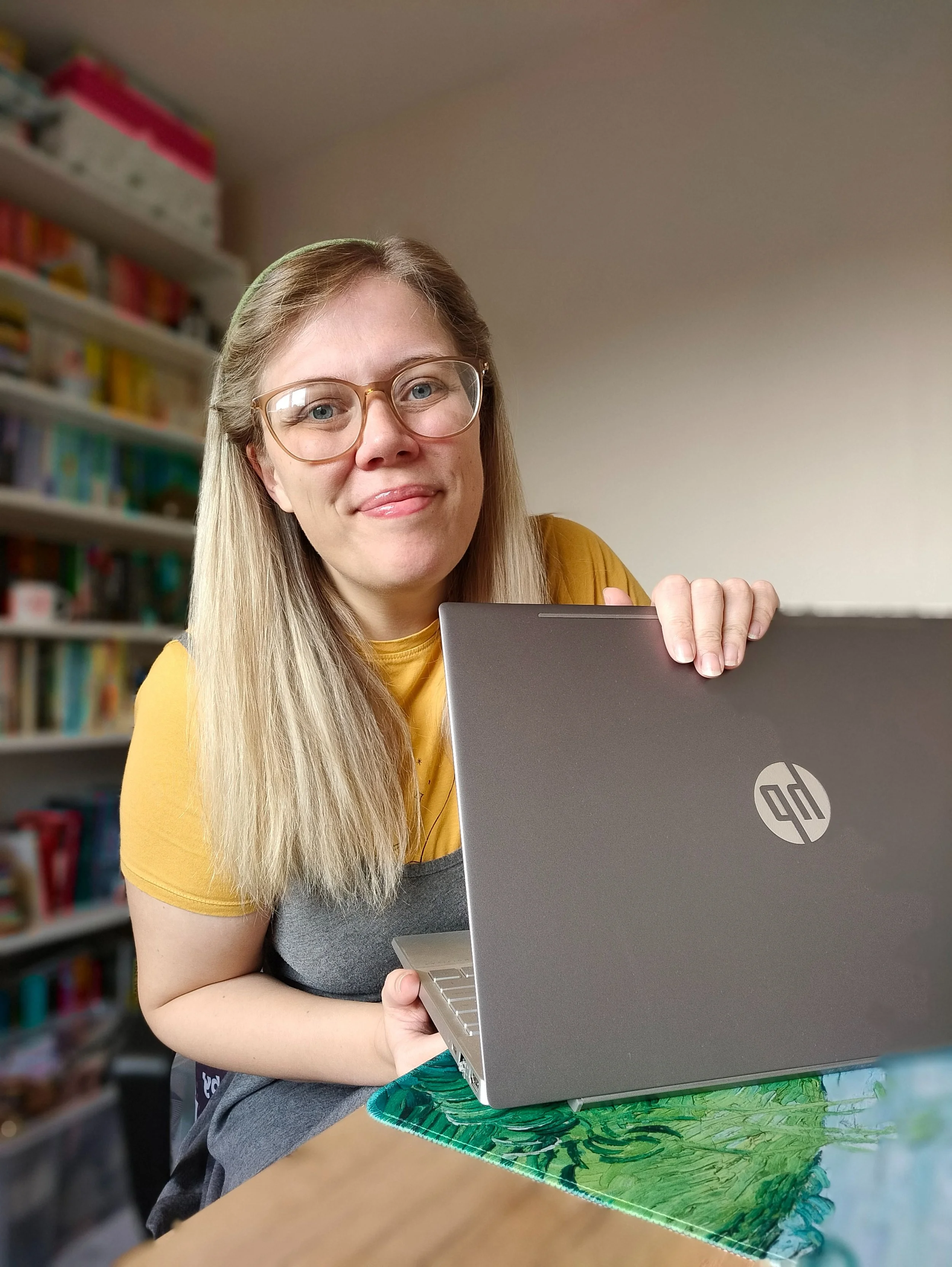
Hey - I’m Amy! Designer, book lover & crochet addict - helping women-led brands bloom online.
Join the List
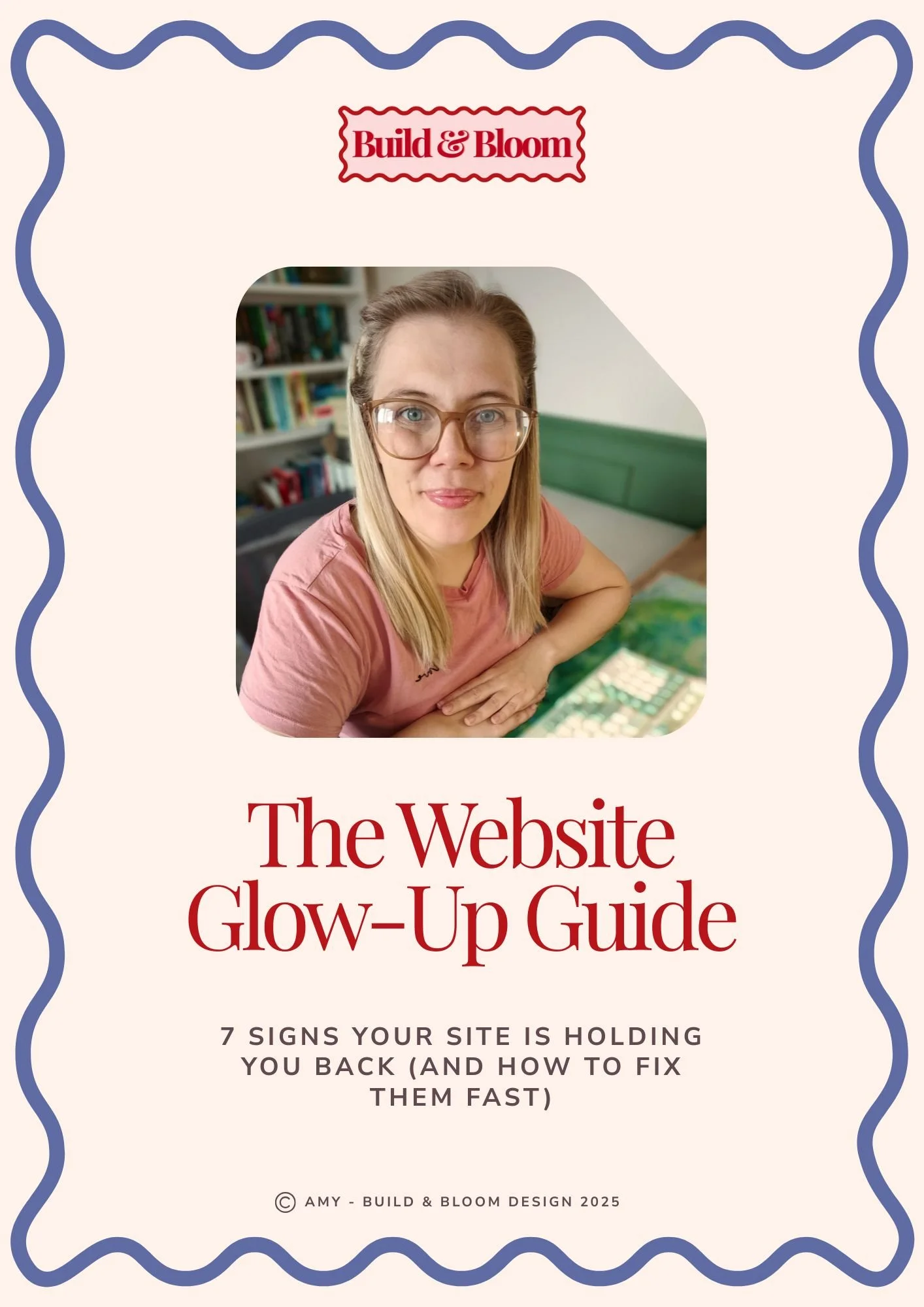
Grab your free copy of The Website Glow-up Guide!

Head over and explore the Aster template! Full demo site available.